Types of Audio&Video Connectors
Illustrative scenario: When a systems engineer named Maya in Hong Kong connected a new laptop to a conference-room display through a USB-C dock, the picture appeared briefly and then dropped out. Replacing the monitor did not help. The root cause was not a defective display; the laptop port, dock, cable, and selected video mode did not share the same capabilities.
Quick Answer: Choose an audio or video connection by matching the signal type, protocol, port version, cable capability, distance, and both endpoints. HDMI and DisplayPort commonly carry digital audio and video; USB-C can carry video only when the host, cable, adapter or dock, and display support a compatible alternate mode or tunneled display protocol. RCA and VGA are generally analog, TOSLINK is optical digital audio, and a correctly wired balanced XLR path is suited to noise-sensitive professional audio.
Being knowledgeable about the various types of audio video connectors available on today’s market can help you make better decisions when building a home theater system, workstation, gaming rig, meeting room, or commercial AV installation. The proper selection of connectors is important because the interface affects compatibility, available formats, installation reliability, and serviceability. This article provides a rundown of common audio and video connectors and explains how these connection choices contribute to the overall multimedia system.
Connector Shape Is Not the Same as Signal Protocol
A connector is the physical plug and receptacle. A protocol or interface specification defines how information is encoded, negotiated, and transported. The distinction matters because two ports that look identical can expose different functions, while an active adapter may translate between different signaling systems.
USB-C is the clearest example. The reversible connector may support USB data and power only, or it may also support DisplayPort Alternate Mode, USB4 or Thunderbolt display tunneling, depending on the device. The cable must also support the required data lanes and rate. A USB-C logo or shape alone therefore does not guarantee video output, charging level, or a particular data speed.
Analog connections represent sound or picture as a continuously varying electrical signal, so cable construction, grounding, interference, and accumulated loss can directly affect the result. Digital links transmit encoded data and often fail differently: the system may be stable until the link margin becomes inadequate, then show intermittent audio, sparkles, blank screens, or negotiation failures. “Digital” does not mean every cable works at every format or distance.
Audio Connectors
Audio connectors are designed to carry audio signals from one device to another. Therefore, they form the basis of the signal path between sources, processors, amplifiers, microphones, headphones, and speakers. Common types include the following. In a vehicle audio system, automotive speaker wire connectors form part of the broader automotive electrical connector network.
3.5 mm Jack
Commonly referred to as the headphone jack, the 3.5 mm audio connector is widely used on laptops, portable equipment, headphones, and other audio devices. A three-conductor TRS version can carry unbalanced stereo audio or a balanced mono signal, depending on the equipment and wiring; a four-conductor TRRS version may add a microphone or control contact. Matching the plug’s contact arrangement to the socket is more important than relying on diameter alone.
RCA Connector
The RCA audio connector is commonly used for unbalanced analog audio and for some digital coaxial connections. For stereo analog audio, separate connectors are typically used for left and right channels, conventionally white and red. Because color is only an identification convention, procurement drawings and equipment labels should confirm the actual signal assignment.
XLR Connector
The primary application for the XLR connector is in professional audio environments such as studios and live performances. A standard three-pin XLR audio path normally carries one balanced mono channel, not two audio channels: two conductors carry opposite-polarity versions of the signal and the third contact is associated with the shield. A pair of XLR paths is normally required for stereo.
Balanced interconnection can reduce noise picked up along the cable when the source output, cable, shield termination, and receiving input are all designed correctly. The connector by itself does not make a circuit balanced, and incorrect pin assignments or pin-1/shield practices can defeat the benefit. This is why pinout documentation and continuity testing belong in receiving inspection.
Optical Connection (TOSLINK)
TOSLINK transfers S/PDIF digital audio using light through an optical cable. Because the signal does not use a conductive audio path, it avoids an electrical ground connection between the linked devices and is not affected by electromagnetic interference along the optical medium. However, supported channel layouts and encoded formats depend on both endpoints; optical should not be treated as a universal replacement for HDMI audio.
Video and Combined Audio/Video Connectors
Video connections are used to transport picture information and, for several modern digital interfaces, audio and control data as well. The most appropriate choice depends on the source, display, required format, installed distance, and the adapters or switching equipment in between.
HDMI (High-Definition Multimedia Interface)
HDMI is widely used in televisions, game consoles, projectors, meeting rooms, and media systems. It can carry digital video and audio in one cable. Capability is determined by the complete link: source and display ports, supported HDMI features, cable category, adapters, switches, and content-protection requirements. A resolution label alone is insufficient because refresh rate, color depth, chroma format, and optional features all consume link capacity.
DisplayPort
DisplayPort is designed as a high-performance digital display connection and is common on computers, professional monitors, docks, and some AV equipment. Like HDMI, it can carry audio with video. Full-size DisplayPort, Mini DisplayPort, and DisplayPort delivered through USB-C may use different physical connectors, so procurement specifications should identify both the connector and the required DisplayPort capability.
VGA (Video Graphics Array)
VGA is a legacy analog video connection used on older computers, monitors, and projectors. It does not carry audio. Image quality can deteriorate with cable loss, poor shielding, or timing errors, and digital-only modern devices require conversion rather than a simple change of plug shape.
DVI (Digital Visual Interface)
DVI helped bridge generations of computer displays during the transition from analog to digital video. DVI-D carries digital video, DVI-A carries analog video, and DVI-I can expose both, while single-link and dual-link forms differ in available conductors. DVI does not standardize audio transport, so do not assume that an HDMI-to-DVI connection will preserve sound.
USB-C
USB-C has become common on laptops, tablets, phones, docks, and monitors because one compact connector can be used for data, power, and, on suitably equipped devices, audio/video. Video may be delivered through DisplayPort Alternate Mode or another supported tunneling technology. Before specifying a USB-C display path, verify the source port documentation, the cable, the dock or adapter, and the destination input; all must support a compatible route.
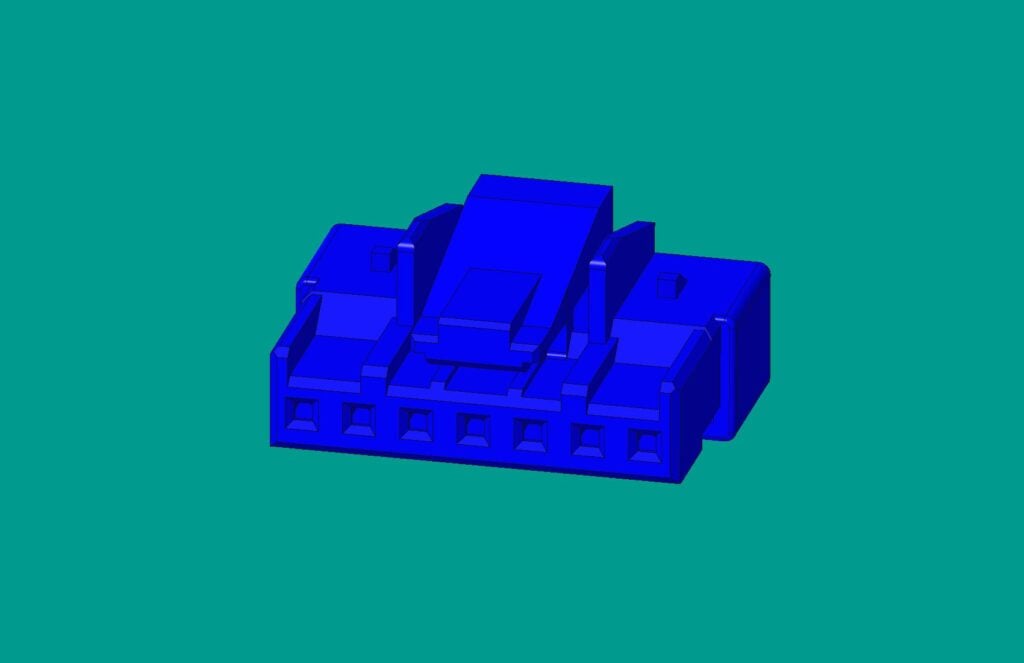
Audio and Video Connector Comparison
| Connector |
Signal and media |
Typical use |
Key compatibility boundary |
| 3.5 mm |
Usually analog audio |
Headsets, laptops, portable devices |
TRS and TRRS contact assignments vary; confirm pinout |
| RCA |
Analog audio/video or digital coaxial, by application |
Consumer audio, legacy AV |
Same plug can carry different signal types; labels matter |
| 3-pin XLR |
Usually balanced analog mono audio |
Microphones, mixers, professional audio |
XLR shape does not guarantee a balanced circuit or a compatible level |
| TOSLINK |
Optical S/PDIF digital audio |
TVs, receivers, soundbars |
Both endpoints must support the selected audio format |
| HDMI |
Digital video, audio, and control |
TVs, projectors, consoles, AV systems |
Features depend on source, sink, cable, intermediates, and negotiation |
| DisplayPort |
Digital video and audio |
PCs, monitors, docks |
Port version, lane configuration, adapters, and cable must match the mode |
| VGA |
Analog video only |
Legacy displays and projectors |
Digital sources need active conversion; no audio is carried |
| DVI |
Digital and/or analog video, depending on subtype |
Legacy PCs and displays |
DVI subtype and link type must match; audio is not standardized |
| USB-C |
Depends on implemented protocols |
Mobile devices, laptops, docks, monitors |
Connector shape alone does not promise video, speed, or power capability |
How to Select a Connector and Cable
HDMI may be the most familiar combined audio/video interface in consumer installations, but “most common” is not the same as “correct for every system.” A workstation may favor DisplayPort, professional audio may require balanced XLR, and an electrically isolated audio path may favor TOSLINK. Use the following workflow instead of choosing by appearance.
- Define the signal: Record audio or video, analog or digital, channel count, sample format, resolution, refresh rate, color requirements, and whether power or control must share the connection.
- Inventory every link component: Check the source port, destination input, cable, wall plate, dock, adapter, switch, extender, and converter. The least capable component sets the practical boundary.
- Match versions and optional features: Read equipment documentation rather than assuming every port with the same shape supports the same function. For USB-C, confirm the actual video mode. For HDMI or DisplayPort, confirm the features required at both endpoints.
- Engineer for installed length: There is no universal passive-cable distance that is safe for every format. Cable construction, data rate, connector loss, routing, interference, and termination all matter. For longer runs, evaluate a certified active cable, optical cable, or purpose-built extender and check directionality, power, latency, and service access.
- Test the complete path: Commission the system at the intended operating mode, exercise reconnect and wake/sleep behavior, and document known-good cables and adapter directions. For analog audio, check continuity, pinout, shield termination, noise, and operating level.
For board-level and equipment designs, connector selection also involves mating cycles, mechanical retention, available space, environmental exposure, termination method, and supply continuity. ZUCH’s PCB connector selection guide and PCB board connector overview cover these broader design criteria. Those resources do not mean that every external AV interface is available as a ZUCH product; buyers should verify the required product family and specifications directly.
Compatibility and Failure Boundaries
- Same connector, different function: A USB-C port may omit display output, and an RCA jack may carry analog audio, composite video, or digital coaxial audio. Never approve a connection from photos alone.
- Passive versus active adapters: A passive adapter only works when the source already emits a signal the destination can accept. Active conversion requires electronics, may be directional, and can add power, latency, resolution, or feature constraints.
- Bandwidth is a system property: Port versions, lane allocation, cable rating, repeaters, docks, and display capability interact. A cable marketed with a single resolution number may omit the refresh rate, color depth, and test conditions needed to judge the claim.
- Length reduces margin: Longer is not automatically impossible, but higher loss and more connection points can reduce reliability. Active copper, optical links, or extenders can help only when their direction, power, protocol, and installed environment are compatible.
- Negotiation can fail: Blank screens, intermittent video, missing audio, limited formats, or failed wake-up may result from EDID, content protection, firmware, adapter, or hot-plug interactions rather than a broken connector.
- Mechanical fit is not electrical compatibility: Forcing, reshaping, or using an unverified gender changer can damage contacts or create an unsupported signal path.
FAQs About Audio and Video Connectors
What are the main types of audio connectors?
Common audio connectors include 3.5 mm phone plugs, RCA, XLR, and optical TOSLINK. The right option depends on analog versus digital signaling, balanced versus unbalanced architecture, required channels and formats, cable route, and the interfaces provided by both devices.
What are the main types of video connectors?
Common video connectors include HDMI, DisplayPort, USB-C when video is implemented, DVI, and VGA. HDMI and DisplayPort are the usual digital choices for current displays, while DVI and VGA are mainly encountered in legacy equipment.
Does every USB-C port support video output?
No. USB-C describes the connector, while video requires a supported alternate mode or tunneling implementation in the host, plus a compatible cable, adapter or dock, and display. Check the device manual or port marking and validate the entire path at the intended mode.
Is XLR always balanced?
No. XLR describes a connector family, not the circuit behind it. A typical three-pin professional audio connection is wired for one balanced channel, but noise rejection depends on the source, receiver, cable wiring, and shield termination.
When should an active audio/video cable or extender be used?
Consider an active cable or extender when the required installed distance, routing, or link rate exceeds the verified capability of a passive path. Confirm supported protocols and formats, directionality, external power, latency, bend limits, and field-replacement requirements before purchase.
References and Further Reading
The reliable choice is the connection whose physical, electrical, protocol, and installation requirements are all documented—not merely the plug that fits.
When connector retention, board termination, current rating, shielding, environmental protection, or custom configuration must be evaluated, review ZUCH’s connector categories and contact the team with your drawings, mating interface, quantities, and operating conditions for a specification review.
 Zhejiang ZUCH Technology Co., Ltd.